

More than 1,500 photos and 1,400 videos of projects
33 projects across 4 segments
Password-protected access
Continuous updates with every new project
The problem
Manufacta makes and installs custom-built furniture, and every finished project becomes a sales argument: the portfolio for architects and builders, the website, social media, presentations. But the photos and videos from dozens of projects were scattered across folders, phones and drives, with camera and drone file names that did not say which project they belonged to.
The result was wasted time searching for files, the same material requested over and over, and good images that went unused because nobody knew where they were.

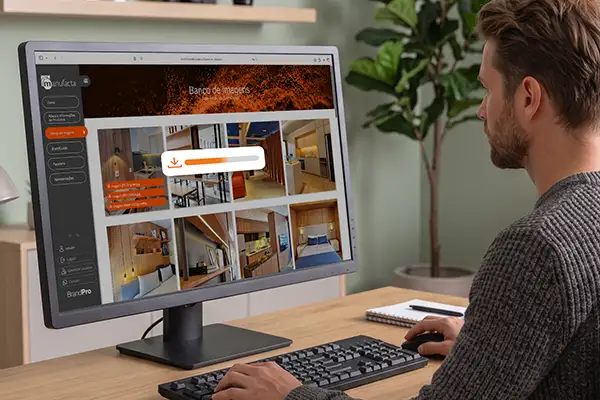
An image library organized by project
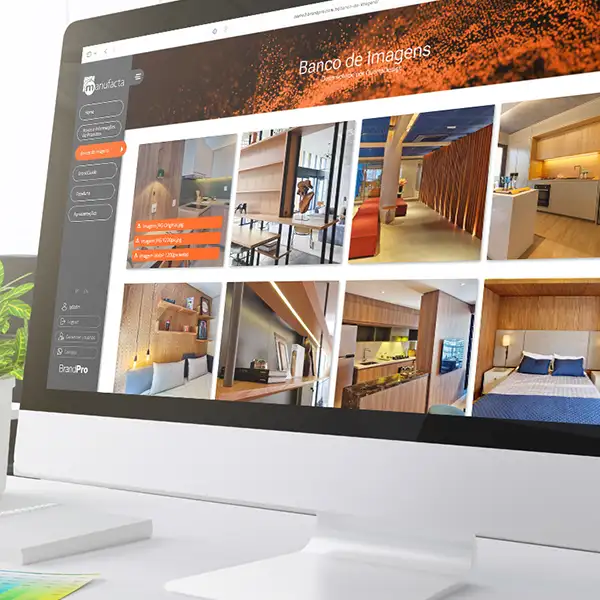
The Image Catalog brings the photos and videos of Manufacta’s projects together in a single collection, organized by segment and by client. Each project has its own folder, with photos and videos kept apart.
- Find things fast. The segment, the client and the unit are in the path and in the name of every file.
- Real images. These are photos and videos of delivered projects, not stock images.
- Protected and backed up. The collection lives on a central drive and is mirrored on the company’s Google Drive, with password access only for people Manufacta authorizes.
- One collection for every use. Each new project comes in with the same folder and naming pattern, and the material feeds the website, social media, proposals and presentations.
What is inside
The collection has more than 1,500 photos and 1,400 videos. Most of it comes from delivered projects, 33 projects across 4 segments:
- Food service: restaurants and coffee shops, such as Abbraccio, Outback and Starbucks
- Hospitality: hotels, such as Ibis and Meliá
- Real estate developers: model apartments and common areas, with photos and drone videos
- Retail: stores and displays, such as Casa Dexco, Pandora and Grand Cru
Besides the projects, the catalog holds photos of the factory and facilities and records of the company’s visits and events. Files follow these size standards:
| File | What it is for |
|---|---|
| No suffix (.jpg) | Full resolution, for print, presentations and proposals |
| -1200px (.jpg) | Reduced version, for the website, email and social media |
| Video (.mp4, .mov) | Project and drone videos, vertical and horizontal |
A name for every file
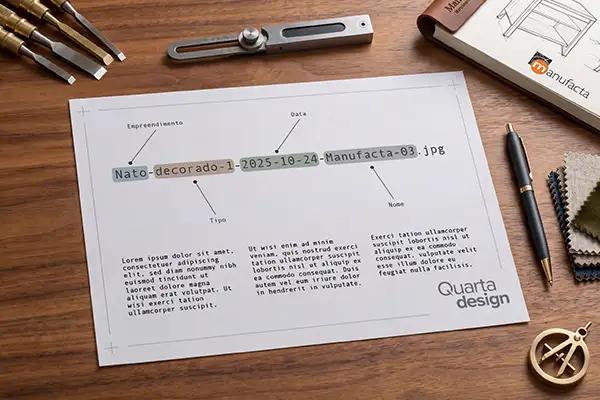
We created a naming rule that applies to the whole collection. The file name says which client and which project it belongs to, and that brings three benefits:
- Easy to find. Anyone on the team, at a supplier or at an agency can find the right image without having to ask.
- Image SEO. Descriptive names help the website’s images show up in Google Images searches.
- One single standard. No accents or spaces, and numbered, so it works on any system.
Example: Nato-decorado-1-2025-10-24-Manufacta-03.jpg (development, type, date and name)
Result
Manufacta now has a single, organized, password-protected place, with a copy on the company’s Google Drive, to find the images of its projects. The team stops hunting for files one by one, and the same collection feeds the website, social media and commercial proposals.